From First Commit to the App Store in Six Days
Onelog is a free iPhone app to log anything in one gesture: a coffee, a mood, a run, a migraine. I designed it, directed it and built it with Claude Code around one idea: your personal data should stay on your phone, and still be easy for your own AI agents to read. This case study covers the product choices, the design system, and the setup that took it from first commit to an App Store build in six days.
What Onelog Is
Most trackers want to coach you: streaks to protect, red badges, reminders that make you feel guilty. Onelog does the opposite. It's a calm, black-and-white log for anything you want to remember about your days.
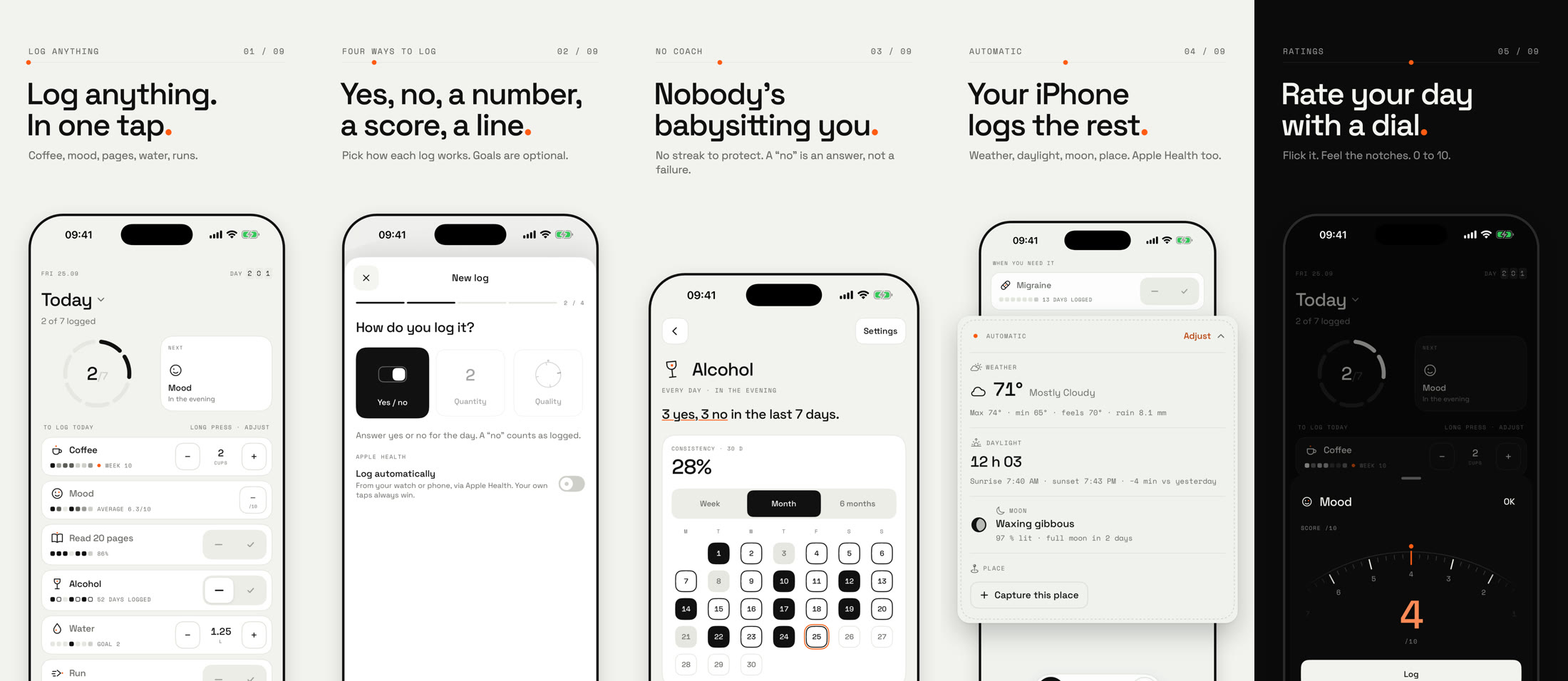
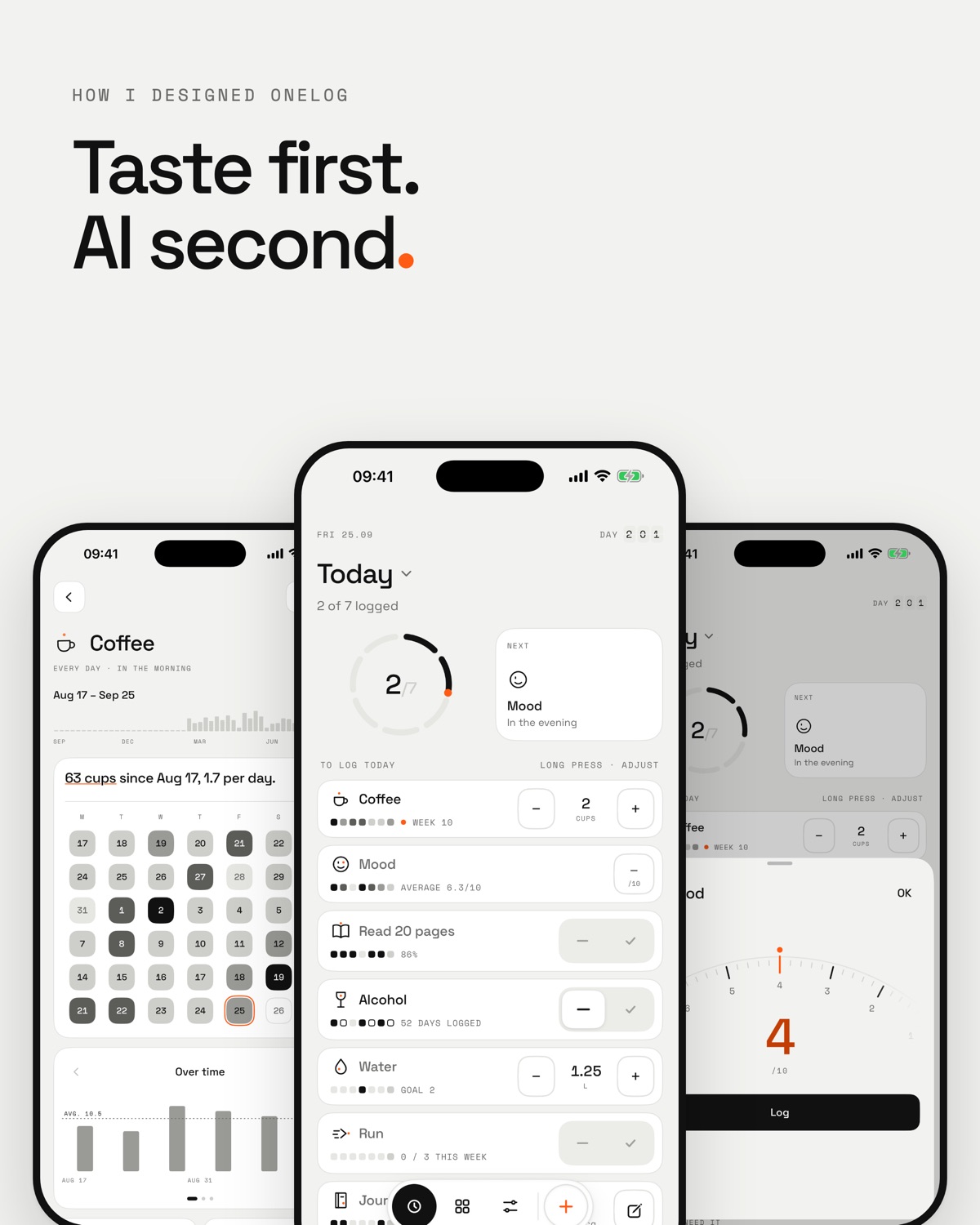
Each log works one of four ways: a yes or no, a number with any unit, a score from 0 to 10 on a dial, or a line of text, voice included. Goals and streaks exist but stay optional, and a "no" counts as logged, not as a failure. If you allow it, the iPhone fills in the rest on its own: weather, daylight, the moon, your steps and sleep from Apple Health.
It lives where you already are, in home and lock screen widgets, Control Center, Siri and Shortcuts. It's free, with no account, no ads and no tracking, in English and French.
Taste First, AI Second
The design was finished before the first line of code. I worked it out in Claude Design: product principles, design tokens, icons and a clickable reference.
The rules are strict on purpose. Black and white, one orange accent that never covers more than 5% of the screen, no colour per habit, no red, no badges. The spirit is closer to Nothing phones and Teenage Engineering than to a wellness app: hardware-like controls, a dial with notches, a ring that fills as your day completes. The logo, a ring with a single orange point, was chosen from eight explorations.
The instruction to the agent was then simple: the design is validated, build it faithfully. A dedicated design-review agent checks each screen against the reference.
“AI is fast at producing interfaces. Taste is knowing which one is right, and holding the line.”
On designing Onelog
Ready for Your Agents, Without AI Inside
Onelog has no AI model inside it, and that's deliberate. The bet is different: soon, many of us will ask a personal agent questions about our own lives. "Do I sleep worse after coffee?" That agent will need clean, honest data. Onelog is built to provide it while you stay in control.
Every way into the app goes through the same core, and each one has a clear role. Agents can read but never write: that rule is enforced and tested.
- Copy for AI. A clean summary to paste into any assistant. Everything you wrote is marked as data, not instructions, a simple guard against prompt injection.
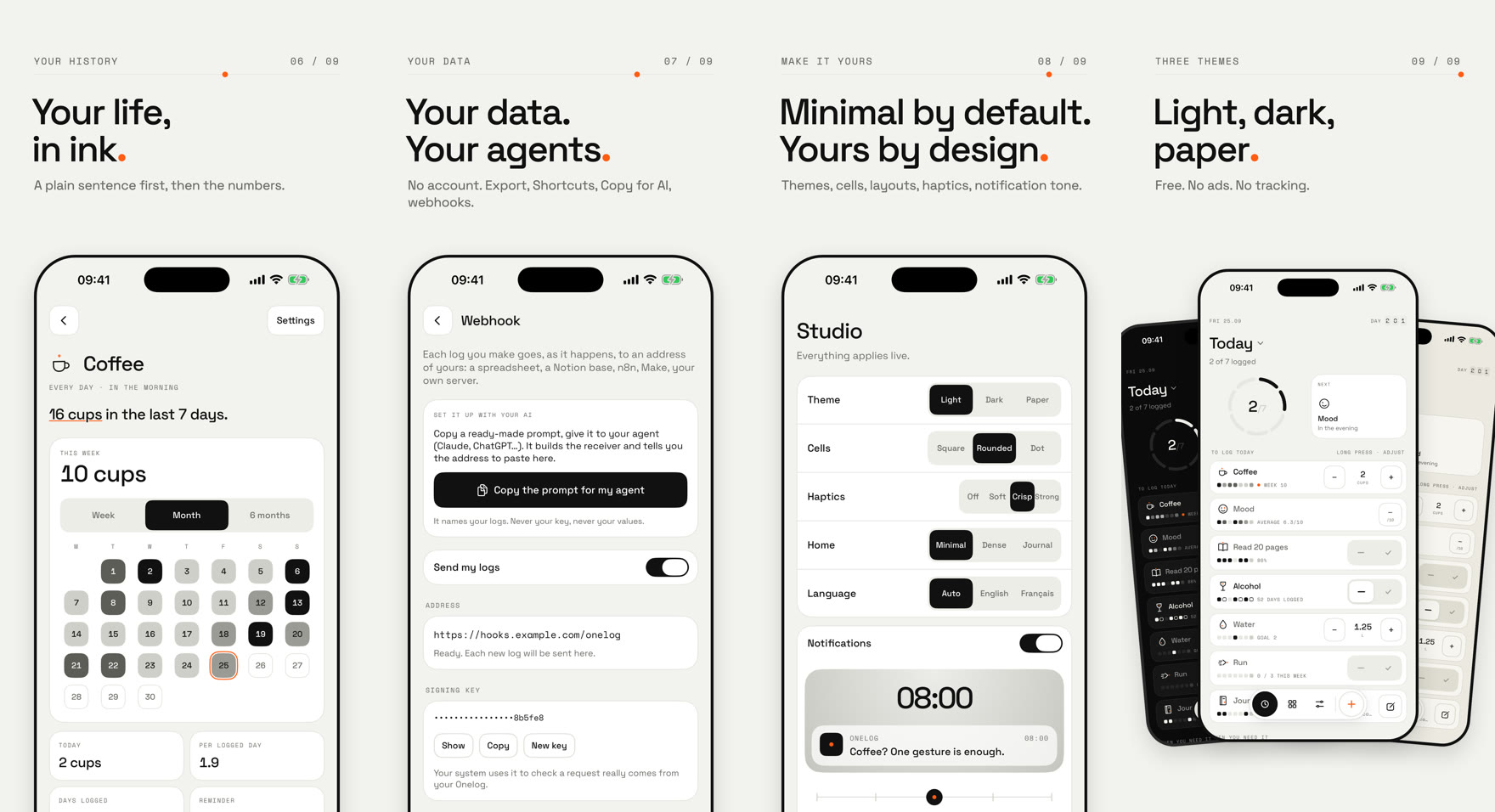
- Your own automations. Logs can be sent to a webhook you control, signed so the receiver knows they're genuine.
- Agent-assisted import. An agent converts your data from another app, and you preview it, and can undo it, before it lands.
None of it needs a server. Your data stays on your iPhone, and you decide what leaves.
Six Days to the App Store Build
Onelog was built with the same approach as Shiplings, tuned for long agent sessions. A progress file the agent reads at the start of every session, a list of features that each have to pass, and 26 written decisions that explain why the product is the way it is. Formatting and checks run automatically, specialised helpers write tests and review design, and anything sensitive, from signing keys to publishing a build, needs my approval.
Most of it was driven from my phone. The agent runs on a Mac mini at home, I steer it remotely, and it sends me simulator screenshots to review. The first commit landed on September 25. Six days and 20 test builds later, version 1.0 was ready for the App Store, with 141 automated tests on its core.
A Launch Kit, Automated
Shipping an app also means showing it, and that part was automated too. The App Store screenshots are generated, not edited by hand: the app opens in the simulator with sample data on a fixed date, and a script lays the captures into designed slides, in both languages. The promo videos are built from real screen recordings, composed in code with interface sounds placed on each event.
The website, onelog.page, is bilingual, fast, readable by search engines and AI assistants, and lets you play with the Today screen right in the browser.
Where It Stands
Onelog is in App Store review. The first submissions came back with two requests, one asking for more information and one about weather data attribution. Both were fixed and the app was resubmitted. Next comes the part no agent can do for me: getting it into people's hands and learning what they choose to log.
Try the demo at onelog.page. And if you want to talk about product, design or agents for your own team, my contact form goes straight to Marvin, my AI agent.
Message Marvin →Shipping a macOS App with a Team of Agents
How I built and shipped Shiplings with Claude Code writing most of the code, and the harness that keeps agents reliable.